Best Bitcoin Wallet 2026: Hardware and App Picks for BTC
Bitcoin-only picks: Trezor Safe 5 and Safe 3 Bitcoin-only editions, BitBox02 Nova, plus the Sparrow, Electrum and BlueWallet apps. What each costs, what it does well, and the wallets we would avoid for BTC right now.
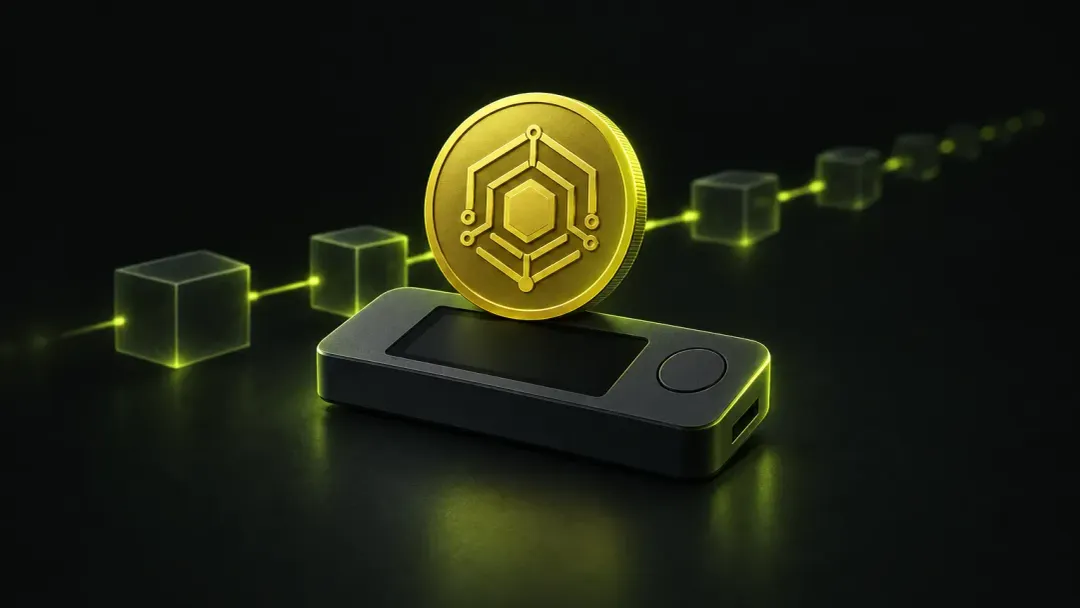
The best bitcoin wallet for most people is a Trezor Safe 5 in its BTC-only edition for savings, paired with a free open-source app such as Sparrow on a computer or BlueWallet on a phone. On a budget, the Trezor Safe 3 BTC-only edition does the same core job for about $59.
This guide is only about BTC. If you also hold Ethereum, Solana or stablecoins, our guide to the best crypto wallet for every coin covers multi-chain devices and apps. Here we compared BTC-focused hardware and software on security history, open-source code, multisig support and official price. This is not financial advice.
Best bitcoin wallets at a glance
| Wallet | Type | Price (official store) | Best for | Main drawback |
|---|---|---|---|---|
| Trezor Safe 5 BTC-only | Signing device | about $129 | Most BTC holders | No Bluetooth, limited on iPhone |
| Trezor Safe 3 BTC-only | Signing device | about $59 | Budget savings | Small screen, buttons only |
| BitBox02 Nova (BTC-only) | Signing device | not confirmed (reviews cite about €175) | Open source plus iPhone | Two firmware bugs fixed in 2026 |
| Ledger Nano Gen5 / Nano X | Signing device | about $179 / $99 | BTC plus other coins | Closed secure-element firmware |
| Sparrow | Desktop app | Free | Control, multisig, own node | Desktop only |
| Electrum | Desktop and Android app | Free | Veteran power users | Dated interface |
| BlueWallet | Phone app | Free | Beginners, spending | Lives on your phone |
| Bitkey | Phone app plus hardware | €230 on its site (US price not confirmed) | Seedless 2-of-3 setup | Block holds one recovery key |
Prices are US official-store prices checked on October 12, 2026, except where noted. Prices change often, so check before you buy.
Bitcoin wallet types: hardware, mobile, web and paper
There are four main types of bitcoin wallets, and each type of wallet trades convenience against security:
- Hardware wallets keep keys on a dedicated offline device. Best for savings.
- Desktop and mobile wallets run as an app on a computer or phone. Best for spending and for managing a device.
- Web wallets and exchange accounts are run by a wallet provider or exchange, which usually holds the keys.
- Paper wallets are keys printed on paper. They are mostly a relic now.
Modern wallets blur these lines: a phone app can act as the screen for a hardware device, and multisig spreads keys across several types at once.
What makes a good bitcoin wallet
A cryptocurrency wallet does not hold coins. It holds the private key that lets you spend coins recorded on the bitcoin blockchain. Whoever controls that key has full control of the funds. So the questions that matter are where the key lives and who else can reach it.
- Self-custody. A non-custodial wallet keeps the key with you. An exchange account is the opposite: the company can freeze or lose your coins.
- BTC-only code. Less code means a smaller attack surface. Trezor, BitBox and Keystone all sell BTC-only firmware.
- Open source. Anyone can audit the code. Trezor, BitBox, Sparrow, Electrum and BlueWallet publish theirs.
- Multisig and PSBT support. Partially signed bitcoin transactions (PSBT) let a device sign without trusting the computer, and multisig lets several devices share control.
- A clean incident record. Bugs happen; what matters is how they were handled.
- Wallet features you will use. Lightning, coin control and Tor matter to some people and not at all to others.
Best hardware for bitcoin
Hardware bitcoin wallets keep keys offline and show each address and amount on their own screen, so malware on your computer cannot quietly redirect a payment. For any amount you could not afford to lose, this is where the best bitcoin wallet setup starts.
1. Trezor Safe 5 BTC-only: best overall
The Trezor Safe 5 ($129) comes in a BTC-only edition that strips out altcoin support from the firmware. It has a 1.54-inch colour touchscreen with haptic feedback, an EAL6+ secure element, USB-C, and open-source firmware and software. Backups can be a 12, 20 or 24-word phrase or a multi-share (Shamir) backup, so no single sheet of paper can empty the wallet.
Pros: open source end to end, Shamir backup, works with Sparrow and Electrum as well as Trezor Suite. Cons: no Bluetooth, so on iPhone Trezor Suite only lets you view, buy and receive. Trezor's shipping partner was breached in August, exposing names, phone numbers and addresses of about 81,000 customers (BleepingComputer). Devices were not affected, but treat any message about your Trezor as phishing.
2. Trezor Safe 3 BTC-only: best budget pick
The Trezor Safe 3 ($59) gives you the same open-source firmware, Shamir backup and EAL6+ secure element in a smaller device with a monochrome screen and two buttons. It is the cheapest serious way to move your coins into cold storage. In March 2025, Ledger's Donjon lab showed a voltage-glitch attack on its microcontroller that needs physical access; Trezor called it largely theoretical.
3. BitBox02 Nova: best open source with iPhone support
The Swiss-made BitBox02 Nova has a BTC-only edition, open-source firmware with reproducible builds, Bluetooth, and full iPhone support through the BitBoxApp. Backups go to a microSD card, with an optional 24-word phrase. In August, firmware 9.26.5 fixed two severe bugs; BitBox says neither was exploited. We could not confirm the official price; reviews cite about €175.
4. Ledger Nano Gen5 or Nano X: if you hold more than BTC
A Ledger is the better choice if BTC sits next to other crypto assets. The Nano Gen5 ($179) has an E Ink touchscreen, Bluetooth and NFC; the Nano X ($99) has Bluetooth and buttons. Both work with Sparrow and Electrum. The catch: the secure-element firmware is closed source, and Ledger has a long trust record to weigh, from the 2020 customer data leak to the 2023 Ledger Recover backlash. Our Ledger vs Trezor comparison goes through it in detail.
Why COLDCARD is not on this list. COLDCARD is a respected BTC-only signer, but on July 30 Coinkite disclosed a bug, present since 2021 firmware, that weakened seed generation. CoinDesk reports about 1,596 BTC, roughly $100M, stolen from affected seeds. Updating firmware does not fix an existing seed: owners must create a new seed and move their funds. New units ship with fixed firmware, and we will revisit once the dust settles. See Coinkite's status page and CoinDesk.
The best wallet apps for BTC
A software wallet runs on a computer or phone, and each wallet offers a different balance of control and simplicity. Used alone it is online and fine for spending money. Paired with a signing device it becomes the interface while the device keeps the keys, which is how most experienced holders use it.
Sparrow: best for desktop
Sparrow is a free, Apache-licensed desktop wallet built only for BTC. It supports all common hardware wallets over USB or air-gapped by QR and microSD, single-sig and multisig wallets, full PSBT support, coin control and transaction labels. It can connect to your own Bitcoin Core node or a private Electrum server, with Tor built in. The wallet interface shows every UTXO, which is ideal for privacy but more than a beginner needs. It is a favourite in the bitcoin community, and among various wallets we looked at it offers the most control for free.
Electrum: the veteran choice
Electrum is a free, MIT-licensed BTC-only wallet for Windows, macOS, Linux and Android, with Lightning, multisig, watch-only wallets and hardware-wallet plugins. Security release 4.8.2 came out on September 11. Download it only from electrum.org and verify the signature: fake "Electrum support" accounts are a common crypto scam.
BlueWallet: best mobile wallet for beginners
BlueWallet is a free, open-source BTC-only mobile app for iOS and Android. It is simple enough for a first wallet, yet it supports watch-only wallets and multisig vaults that pair with hardware devices. As a mobile wallet it is only as safe as your phone, so keep balances small.
Bitkey: seedless multisig from Block
Bitkey, made by Jack Dorsey's Block, is a 2-of-3 multisig setup: one key on your phone, one on a small hardware device, and one recovery key held by Block. Any two keys can sign, so losing one does not lock you out and Block cannot move your funds alone. There is no seed phrase to write down. The trade-off is reliance on Block's recovery process. Its site lists the hardware at €230; we could not confirm a current US price. Within the wallet you can also buy bitcoin, so it suits people starting their crypto journey.
Hot or cold: where should your BTC live?
A hot wallet keeps the key on an internet-connected device. A cold wallet keeps it offline, usually on a dedicated device. You do not have to pick one: use each for a different job.
| App on a phone or computer | Offline device | |
|---|---|---|
| Where the key lives | Phone or computer | Offline chip |
| Cost | Free | about $59 to $249 |
| Good for | Spending, small balances | Savings |
| Main risk | Malware, phishing, phone loss | Losing the seed backup |
| Examples | BlueWallet, Electrum | Trezor Safe 3 and Safe 5, BitBox02 Nova |
For long-term crypto storage, a dedicated device beats a paper wallet. Paper wallets, where a private key is printed and later imported, encourage address reuse and are easy to mishandle when you spend. Our guide to the best cold wallets compares every current device for long-term storage.
Alternative wallets we would skip for BTC
Most popular apps are multi-chain, including bitcoin among hundreds of coins. That is not wrong, but for a BTC holder there are better options.
- Exchange accounts. Fine for buying, but a crypto account on a crypto exchange is custodial. Coinbase disclosed in May 2025 that bribed support agents leaked data on 69,461 users, and exchanges get hacked: Bybit lost about $1.5B in February 2025.
- Coinbase Wallet. The self-custodial app, which switched back to that name on September 10 after a year as "Base App", is multi-chain, mostly closed source, and charges up to 1% on swaps.
- Trust Wallet. Its browser extension shipped a malicious v2.68 update in December 2025 that drained about $8.5M from 2,520 addresses. The phone app was not affected, but the app and extension are closed source.
- Phantom wallet. A wallet like Phantom is excellent for Solana and does hold BTC, but it is not built for BTC and only supports Ledger as a signer.
- Web wallets. Any web wallet that asks you to type a seed into a page is a red flag. Real wallets never ask for it, and fake wallet pages are among the most common crypto scams in the crypto space.
Best practices: how to set up a bitcoin wallet safely
- Buy hardware from the official store only, never a marketplace reseller.
- Generate the seed on the device and write it on paper or metal. Never photograph it or store it in the cloud.
- Add a passphrase if you understand it, and back it up separately. It turns a stolen seed into a useless one.
- Connect the device to Sparrow, Electrum or the maker's app and check that the first receive address matches on the device screen.
- Send a small test amount, then do a test restore before moving your full bitcoin holdings.
- Verify every address on the device. Address poisoning, where scammers plant look-alike addresses in your history, has seen 65.4M attempts since January 2025 (Blockaid).
Multisig: the step up for larger holdings
A multisig wallet needs, say, two of three keys to spend. Put the keys on devices from different makers, such as a Trezor, a BitBox and a Ledger, and store the backups in different places. Then no single device bug, stolen seed or house fire can cost you everything. The COLDCARD seed bug is the best recent argument for mixing vendors: in a 2-of-3 setup across brands, one weak seed alone is not enough to spend. Sparrow and Electrum both coordinate multisig for free.
Multisig adds work, and keeping bitcoin safe this way means more to manage. You must back up each seed plus the wallet configuration, and restoring is harder. For most people, a single hardware wallet with a good backup is the right first step, and multisig comes later.
Which bitcoin wallet should you choose?
Choosing a crypto wallet comes down to how much you hold and how often you spend. There is no single best wallet for everyone, but this is our list of the best fit by situation:
- Complete beginner: BlueWallet for a small amount while you learn, then a Trezor Safe 3 BTC-only.
- Long-term saver: Trezor Safe 5 BTC-only with Sparrow on your computer.
- iPhone user who wants hardware: BitBox02 Nova, or the Trezor Safe 7 ($249) if you want Trezor with Bluetooth.
- You hold BTC and altcoins: a Ledger Nano Gen5 or a standard multi-coin Trezor Safe 5.
- Six figures or more: a 2-of-3 multisig across vendors, coordinated in Sparrow.
Many people end up with multiple wallets: a hot and cold wallets pair is normal, not a sign of a messy setup. Whatever wallet option you choose, keep your crypto holdings in self-custody only once you are confident with backups. You can follow live crypto prices on our markets page while you decide.
Frequently asked questions
What is the best bitcoin wallet for beginners?
BlueWallet on your phone for small amounts, then a Trezor Safe 3 Bitcoin-only edition (about $59) once the balance matters. Both are open source and easy to set up.
What is the safest way to store bitcoin?
A Bitcoin-only hardware wallet with its seed written on paper or metal and kept offline. For large holdings, a 2-of-3 multisig across devices from different makers removes any single point of failure.
Is Coinbase a good bitcoin wallet?
An exchange account is custodial: the exchange holds the keys. It is fine for buying, but move savings to a wallet you control. Coinbase's separate self-custodial app is multi-chain and closed source.
Do I need a Bitcoin-only wallet?
No, but it helps. Bitcoin-only firmware has less code, so less can go wrong. If you also hold other coins, a multi-asset device such as a Ledger or a standard Trezor works fine.
Is COLDCARD still safe to use?
Devices on fixed firmware generate seeds correctly, but seeds created on affected firmware since 2021 should be replaced: update, make a new seed and move the funds. Coinkite's status page lists the affected versions.
Can I use more than one bitcoin wallet?
Yes, and most holders should: a phone app for spending and a hardware wallet for savings. You can hold different wallets for different jobs and move coins between them whenever you like.
How we chose
We compared each wallet's security model, open-source status, incident history, BTC-specific features and official price, using official product pages and reporting from CoinDesk, BleepingComputer and The Block. We did not run long-term hands-on tests of every device. Prices and incidents were checked on October 12, 2026.