Best Crypto Wallets 2026: Top Hardware Wallets and Apps
Our picks for the best crypto wallets: Trezor Safe 5 for most people, Ledger for coin coverage, budget devices under $70, and free apps like Rabby and Electrum. Includes prices, security incidents, and why we left out COLDCARD and MetaMask for now.
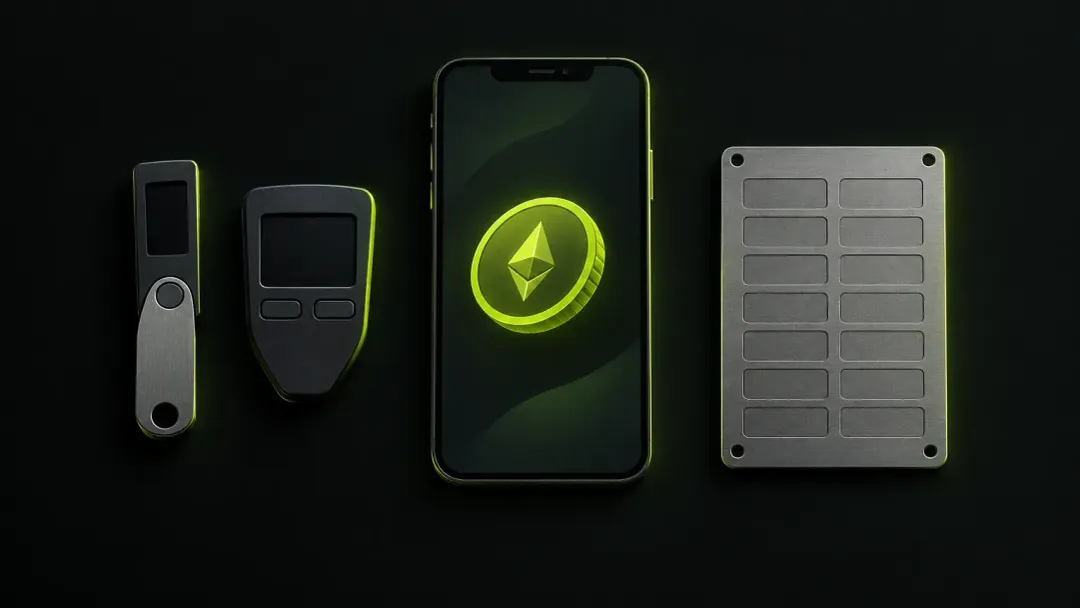
The best crypto wallets for most people are a Trezor Safe 5 for long-term storage and a free app such as Rabby or Electrum for everyday use. If you hold a wide mix of coins or want Bluetooth on an iPhone, a Ledger Flex or Nano Gen5 is the stronger device, and on a tight budget a Trezor Safe 3 or Ledger Nano S Plus does the core job for about $60 to $70.
We ranked these on security record, open-source code, coin coverage, price and ease of use, using only sourced facts. We also explain the big names we left out. This is not financial advice.
Our picks at a glance
| Wallet | Type | Price (official store) | Best for | Key drawback |
|---|---|---|---|---|
| Trezor Safe 5 | Signing device | about $129 | Most people | iPhone limited to viewing and receiving |
| Ledger Flex / Nano Gen5 | Signing device | about $249 / $179 | Coin coverage, mobile | Closed secure-element firmware, data leaks |
| Trezor Safe 3 / Ledger Nano S Plus | Signing device | about $69 | Budget | Small screen, USB only |
| Keystone 3 Pro | Air-gapped QR signer | about $149 | Multichain, no cables | Smaller ecosystem |
| Tangem | NFC smart card | about $59.90 (2 cards) | No seed phrase | Closed firmware, no screen |
| Rabby | App | Free (0.25% swap fee) | Ethereum and DeFi | EVM chains only |
| Electrum | App | Free | BTC power users | Dated interface |
| Phantom | App | Free (0.85% swap fee) | Solana | Ledger is the only supported signer |
| Exodus | App | Free (swap spreads) | Simple portfolio | Not fully open source |
Prices are US official-store prices checked on October 1, 2026. Some may be temporary sales and prices change often, so check before you buy.
The best hardware wallets in 2026
A signing device keeps your keys on a dedicated chip and shows each transaction on its own screen, so malware on your computer cannot quietly approve a payment. These are the popular hardware wallets we would buy today. For a deeper look at offline storage only, see our guide to the best cold wallet options.
1. Trezor Safe 5: best overall
The Trezor Safe 5 pairs open-source firmware with an EAL6+ secure element, a 1.54-inch colour touchscreen with haptic feedback, and USB-C. Trezor Suite lets you buy crypto directly, swap, and stake your crypto (ETH, ADA, SOL). The wallet also works with more than 30 third-party apps. Backups can be a 12, 20 or 24-word phrase, or a multi-share (Shamir) backup so no single sheet can empty the wallet.
Pros
- Open-source firmware and app
- Shamir backup at a mid-range price
- Unaffected by the 2025 attack on the Safe 3
Cons
- No Bluetooth: on iPhone you can only view, buy and receive
- Trezor's shipping partner was breached in August, exposing names, phone numbers and addresses of about 81,000 customers, followed by phishing from a spoofed help@trezor.io address (BleepingComputer)
The leak did not touch the devices, but it hands scammers a list of buyers. Ignore any email, call or letter about your device.
Upgrade pick, Trezor Safe 7 ($249): the new flagship adds Bluetooth, full iPhone support, wireless charging and two secure elements. In January, Trezor disclosed a laser attack on its TROPIC01 chip that needs physical possession and lab equipment; Trezor says no PINs or funds were compromised. See the Safe 7.
2. Ledger Flex / Nano Gen5: best for coin coverage and mobile
A Ledger hardware wallet supports 500+ assets in its own app (renamed from Ledger Live to Ledger Wallet) and thousands more through third-party apps. The Ledger Flex ($249) has a 2.8-inch E Ink touchscreen, Bluetooth and NFC. The Nano Gen5 ($179) has a smaller E Ink touchscreen, Bluetooth and NFC, and ships with an NFC Recovery Key card. Both use an EAL6+ secure element and sign on iPhone and Android.
Pros
- Broadest coin and app support we cover
- Best mobile experience, with Clear Signing
- Works with Phantom, Rabby and most apps
Cons
- Secure-element firmware is closed source
- A long trust record to weigh
A 2020 breach leaked customer data, with a public dump of about 272,000 records that fed phishing and extortion attempts. In 2023, Ledger Recover showed the firmware can export an encrypted seed; it is opt-in, but many users saw it as breaking the "keys never leave the device" promise. In January 2026, customer details leaked again through payment processor Global-e. In August, Ledger quietly patched an Ethereum app flaw that could let malicious software swap a transaction during signing (fixed in version 1.22.2; no confirmed thefts). (Cryptonomist)
3. Trezor Safe 3 or Ledger Nano S Plus: best budget pick
The Safe 3 lists at $59 (down from $79) and the Nano S Plus at $69. The Trezor Safe 3 offers open source, an EAL6+ secure element and Shamir backup. The Ledger Nano S Plus offers the same EAL6+ chip as the Flex and room for up to 100 apps.
- Pros: core flagship protection for a fraction of the price; battery-free
- Cons: tiny screens, USB-C only, no signing on iPhone; in March 2025 Ledger's Donjon lab showed a physical-access glitch attack on the Safe 3 chip, which Trezor called largely theoretical
4. Keystone 3 Pro: best air-gapped signer
The Keystone 3 Pro ($149) signs by QR code or microSD, with no Bluetooth, Wi-Fi or NFC. It has a 4-inch touchscreen, a fingerprint sensor and three secure chips, and claims 5,500+ assets and 45+ compatible apps, including MetaMask, Keplr and Solflare. Firmware is open source; backups can be 24 words or Shamir.
- Pros: air-gapped by design; no exploited incidents found from 2024 onward; audited by Least Authority and SlowMist
- Cons: smaller ecosystem, limited native staking, extra scanning steps
5. Tangem: easiest for newcomers
Tangem is a set of NFC cards (about $59.90 for two, $69.90 for three) that you tap on your phone. By default there is no seed phrase: the key is created on the card and cloned to backup cards. Cards are rated IP69K with a 25-year limited warranty, and Tangem claims 14,100+ tokens across 90 blockchains.
- Pros: nothing to charge or write down; backup cards are easier than paper for many people
- Cons: closed card firmware that cannot be updated; no screen; a December 2024 app bug wrote some seeds into logs, and Ledger's Donjon showed two unpatchable card attacks, one needing about $250,000 of lab equipment. Tangem calls the risk to everyday users "virtually non-existent" (The Block)
Also consider, BitBox02 Nova: open source with reproducible builds, Bluetooth, iPhone support and microSD backup. Two severe firmware bugs were fixed in August, and BitBox says neither was exploited. We could not confirm the official price; reviews cite around €175. See the BitBox02 Nova.
Why we left these out
COLDCARD. On July 30 this year, Coinkite disclosed a bug dating back to 2021 firmware that weakened seed generation (about 72 bits of entropy instead of 128). CoinDesk reports roughly 1,596 BTC, about $100M, stolen. Updating firmware does not fix existing seeds: affected owners must generate a new seed and move their funds. See Coinkite's status page and CoinDesk.
MetaMask. On September 30, MetaMask disclosed a security incident in its staking infrastructure. It says it sees no sign that wallets are at risk, but the scope is undisclosed and the story is still developing. We will revisit after the post-mortem. (The Crypto Times)
Trust Wallet. A malicious browser extension (v2.68) drained about $8.5M from 2,520 addresses on December 24 to 26, 2025. The mobile app was unaffected and Trust Wallet committed to reimburse, but its app and extension are closed source. (Trust Wallet)
The best crypto wallet apps (hot wallets)
A hot wallet, or software wallet, keeps keys on an internet-connected phone or computer. An online wallet is fine for spending and DeFi, and risky for savings. All four picks are free and non-custodial.
1. Rabby: best for Ethereum and DeFi
Rabby, built by DeBank, is our pick as a wallet for Ethereum and decentralized finance. It simulates each transaction and flags risks before you sign. It covers 100+ EVM chains, runs as an extension, on mobile and on desktop, and works with Ledger, Trezor, BitBox02 and Keystone.
- Pros: pre-sign simulation, open-source extension, 0.25% swap fee
- Cons: EVM only; a 2022 swap-contract exploit cost users about $200,000
2. Electrum: best for BTC power users
Electrum is a free, MIT-licensed Bitcoin-only wallet with Lightning, multisig, watch-only setups and signing-device plugins. It runs on Windows, macOS, Linux and Android, but not iOS. Security release 4.8.2 came out on September 11. For a Bitcoin-only setup, see our best bitcoin wallet guide.
- Pros: mature, open source, excellent multisig
- Cons: dated interface; fake "Electrum support" contacts are common, so download only from electrum.org and verify signatures
3. Phantom: best for Solana
The Phantom wallet is the best wallet for Solana for most people: a polished mobile wallet and browser extension with native SOL staking, plus Ethereum, Base, Polygon and a few other chains.
- Pros: clean design, staking, cross-chain swaps
- Cons: 0.85% swap fee; Ledger is the only supported signer; dropped Monad in August and Sui in September
4. Exodus: simplest multi-asset app
Exodus is a beginner-friendly portfolio app for computers, phones and Chrome, and it pairs with signing wallets like Trezor and Ledger.
- Pros: very easy to use, wide asset list
- Cons: not fully open source; mobile dApp access removed on September 13; a $3.1M OFAC settlement in December 2025 over support given to users in Iran (not a key compromise)
Coinbase Wallet switched back to that name on September 10 after a year as "Base App", and charges up to 1% on swaps.
Types of crypto wallets
A cryptocurrency wallet holds keys, not coins. Two questions define it: is it hot (online) or cold (offline), and who holds the keys? With a custodial wallet, usually an account on a crypto exchange, the company holds them and can freeze withdrawals. With a self-custody wallet, only you do.
| Type | Where the keys live | Good for | Main risk |
|---|---|---|---|
| Signing device (Trezor, Ledger) | Secure chip, offline | Savings | Losing the seed backup |
| Software wallet (phone, computer, browser) | Internet-connected device | Spending, DeFi | Malware, phishing, bad approvals |
| NFC card (Tangem) | Chip on the card | Simplicity | Losing every backup card |
| MPC app (Zengo) | Split between phone and provider server | No seed phrase | Reliance on the provider |
| Exchange account | The company | Active trading | Hacks, freezes, insolvency |
A zengo wallet splits signing between your phone and Zengo's server, so no full private key ever exists; eToro agreed to buy Zengo for about $70M. Most people need two types of wallets, hot and cold wallets side by side: an app for small amounts and a device that keeps your crypto offline for the rest.
How to choose the best crypto wallet for you
The right crypto wallet depends on what you hold and how often you move it. Before you choose a crypto wallet, check these:
- Security model. A secure element, an on-device screen and a clean incident record beat marketing. Look for a published security audit.
- Open source. Trezor, Keystone, BitBox and Electrum lead here.
- Coins and chains. Check that the wallet supports every chain you use.
- Backup. A seed on paper or metal, Shamir shares, or Tangem's backup cards. If you lose your wallet and its backup, nobody can restore the entire wallet for you.
- Budget. $59 buys real protection; more buys bigger screens and Bluetooth.
- Experience. A beginner should start with a simple app and a small amount, then add a device once the sum matters.
How to set up a crypto wallet safely
- Buy only from the official store, never from marketplaces or resellers.
- Verify the device with the official app; one that arrives with a pre-filled seed is a scam.
- Write the seed on paper or metal. Never photograph it or store it in the cloud.
- Never type the seed online. Entering a device's seed into an app such as MetaMask makes it a hot setup.
- Test with a small amount, confirm it arrives, then transfer crypto in size.
- Update firmware through the official app only.
- Beware fake support and address poisoning. Real support never asks for your seed. Blockaid counted 65.4M address-poisoning attempts since January 2025, so check the full wallet address on the device screen and never copy one from your history.
Which hardware wallet brand should you choose?
For most people, Trezor: open-source firmware, Shamir backup and a cleaner trust record make the Safe 5 our best cold crypto wallet pick and the Safe 3 the safer budget buy. Choose Ledger for the broadest coin coverage, Phantom compatibility or Bluetooth on iPhone, and since both brands have leaked customer data through third parties, treat any unsolicited message about your device as a scam. Our full Ledger vs Trezor comparison goes model by model.
Why self-custody matters now
Exchanges keep getting hit. Bybit lost about $1.5B on February 21, 2025, in an attack the FBI attributed to North Korea's Lazarus Group (BleepingComputer). Chainalysis counted over $3.4B stolen in 2025. Coinbase disclosed in May 2025 that bribed support agents leaked data on 69,461 users. In September, Bitget lost about $387.5M from its hot and warm wallets (Halborn).
Self-custody is the most direct way to decentralize control of your money: not your keys, not your coins. It is not risk-free: Chainalysis puts 2025 personal-wallet compromises at $713M, and violent "wrench" attacks took $58M. Keep holdings private and stay sceptical of anyone asking for your seed. You can follow live crypto prices while you decide.
What crypto investors on Reddit actually say
"Go with a Trezor if you care about transparency and security" (r/CryptoCurrency)
"Most people don’t lose funds from firmware issues, they lose them from seed phrase mistakes, phishing, or bad approvals." (r/ledgerwallet)
"Both. Split your coins between different wallets. That way if something happens, you don't lose everything." (r/ledgerwallet)
Frequently asked questions
What is the best crypto wallet for beginners?
Tangem is the easiest device because there is no seed phrase to manage. For an app, Exodus is the simplest. Start small and learn how backups work first.
Is a hardware wallet worth it?
Yes, once you hold more than you could afford to lose. For about $60 to $70 it keeps keys off your computer and shows each transaction on its own screen. It does not protect you from phishing or a leaked seed.
What are the top 5 crypto wallets?
Our top five devices are the Trezor Safe 5, Ledger Flex or Nano Gen5, Trezor Safe 3 or Ledger Nano S Plus, Keystone 3 Pro and Tangem. Our top apps are Rabby, Electrum, Phantom and Exodus.
What is the safest crypto wallet?
An open-source signing device with a secure element and a clean recent record, such as the Trezor Safe 5 or Keystone 3 Pro, with a seed stored offline. No wallet is perfectly safe; seed handling matters most.
What is the best crypto wallet for Bitcoin?
Electrum paired with a Trezor Safe 5 or Safe 3. Both Trezors also come in a Bitcoin-only edition.
Can a crypto wallet be hacked?
Yes. Apps can be hit by malicious updates, as Trust Wallet's extension was in December 2025, and device bugs happen, as COLDCARD showed. Most losses still come from phishing, bad approvals and exposed seeds.
Hot wallet or cold wallet?
Both. Use an app for small, active balances and a cold wallet for savings. If you pick only one and hold a meaningful amount, pick the device.
How we chose
We compared each wallet's security model, open-source status, incident history since 2020, coin coverage, official price and usability, using official product pages and reporting from CoinDesk, BleepingComputer and The Block. Prices and incidents were checked on October 1. Check today's market data before you buy and sell.